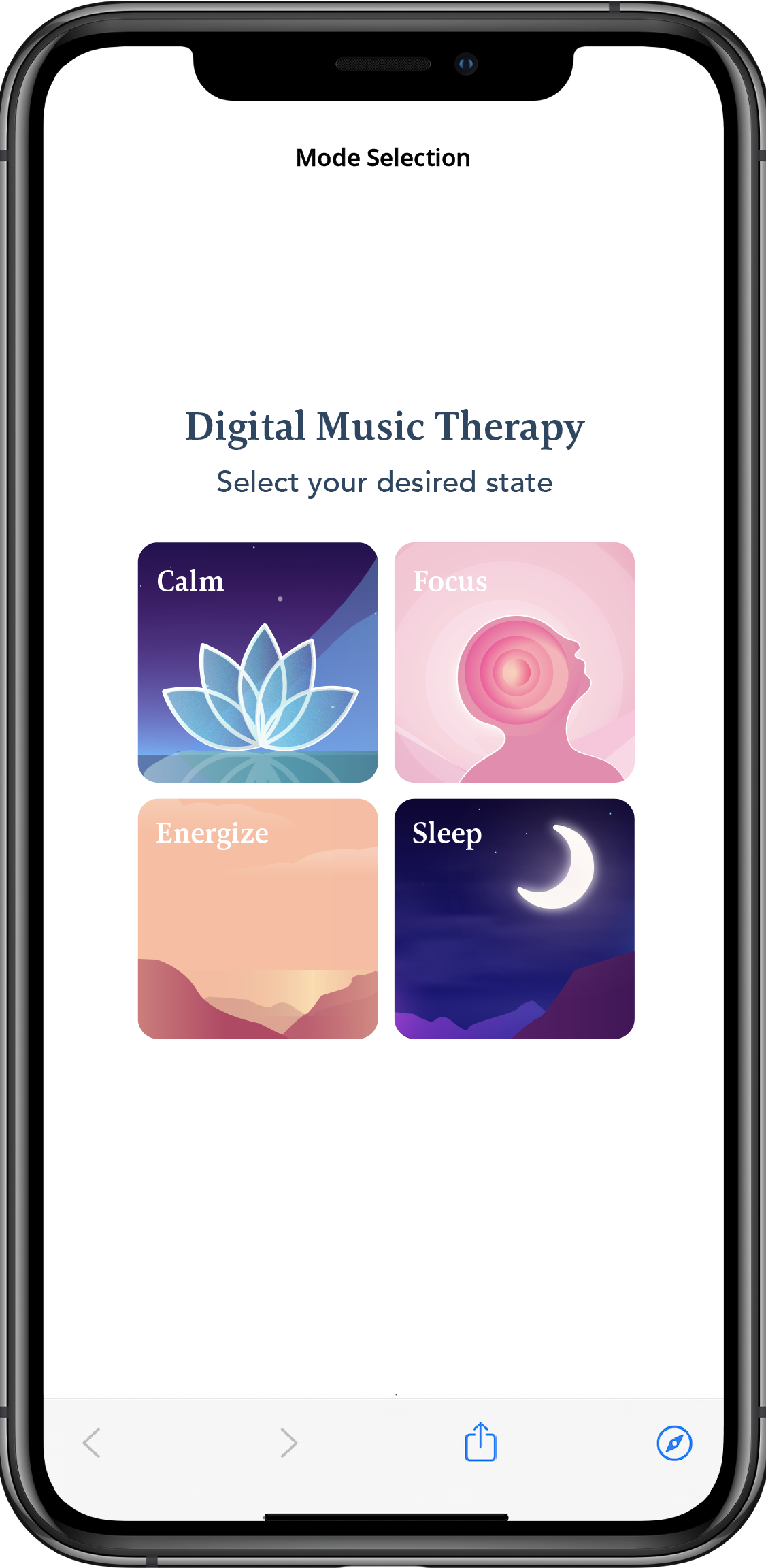
Get to music as quickly as possible!
This option does not require the input of the user’s emotional state to kick-off the experience; instead, a default starting state is assigned depending on the selected mode (i.e., for ‘Calm’ experiences, a default ‘tense’ starting state is inputted).
UX Option 1: Calm
Make 2 requests back-to-back, allowing you to start the audio experience right away.
POST experiences
URL:
public.core.thelucidproject.ca/api/experiences
Request Body:
Copy{
"modeId":"calm",
"contentLibraryId":"immersive",
"desiredLength":6, // this length is recommended
"participantId":"annonymous_user_id" // this can be any STRING
}
Example Response:
Copy{
"_id": "STRING",
"participantId": "annonymous_user_id",
"organization": "STRING",
"configuration": "STRING",
"initialMeasurementSessionID": "STRING",
"runtimeMeasurementSessionID": "STRING",
"finalMeasurementSessionID": "STRING",
"timestamp": 1642781363730,
"__v": 0
}
GET audio
URL:
Copypublic.core.thelucidproject.ca/api/experiences/"_id"/audio // _id from experience request
Example Response:
Copy{
"HLS live stream URL" // load directly into your audio player
}
UX Option 2: Sleep
Make 2 requests back-to-back, allowing you to start the audio experience right away.
POST experiences
URL:
public.core.thelucidproject.ca/api/experiences
Request Body:
Copy{
"modeId":"sleep",
"contentLibraryId":"immersive",
"desiredLength":6, // this length is recommended
"participantId":"annonymous_user_id" // this can be any STRING
}
Example Response:
Copy{
"_id": "STRING",
"participantId": "annonymous_user_id",
"organization": "STRING",
"configuration": "STRING",
"initialMeasurementSessionID": "STRING",
"runtimeMeasurementSessionID": "STRING",
"finalMeasurementSessionID": "STRING",
"timestamp": 1642781363730,
"__v": 0
}
GET audio
URL:
public.core.thelucidproject.ca/api/experiences/"_id"/audio // _id from experience request
Example Response:
Copy{
"HLS live stream URL" // load directly into your audio player
}
UX Option 3: Focus
Make 2 requests back-to-back, allowing you to start the audio experience right away.
POST experiences
URL:
public.core.thelucidproject.ca/api/experiences
Request Body:
Copy{
"modeId":"focus",
"contentLibraryId":"immersive",
"desiredLength":6, // this length is recommended
"participantId":"annonymous_user_id" // this can be any STRING
}
Example Response:
Copy{
"_id": "STRING",
"participantId": "annonymous_user_id",
"organization": "STRING",
"configuration": "STRING",
"initialMeasurementSessionID": "STRING",
"runtimeMeasurementSessionID": "STRING",
"finalMeasurementSessionID": "STRING",
"timestamp": 1642781363730,
"__v": 0
}
GET audio
URL:
Copypublic.core.thelucidproject.ca/api/experiences/"_id"/audio // _id from experience request
Example Response:
Copy{
"HLS live stream URL" // load directly into your audio player
}
UX Option 4: Energize
Make 2 requests back-to-back, allowing you to start the audio experience right away.
POST experiences
URL:
public.core.thelucidproject.ca/api/experiences
Request Body:
Copy{
"modeId":"energize",
"contentLibraryId":"immersive",
"desiredLength":6, // this length is recommended
"participantId":"annonymous_user_id" // this can be any STRING
}
Example Response:
Copy{
"_id": "STRING",
"participantId": "annonymous_user_id",
"organization": "STRING",
"configuration": "STRING",
"initialMeasurementSessionID": "STRING",
"runtimeMeasurementSessionID": "STRING",
"finalMeasurementSessionID": "STRING",
"timestamp": 1642781363730,
"__v": 0
}
GET audio
URL:
Copypublic.core.thelucidproject.ca/api/experiences/"_id"/audio // _id from experience request
Example Response:
{
  "HLS live stream URL" // load directly into your audio player
}
Back to TopImplement the full user experience
As seen in our web
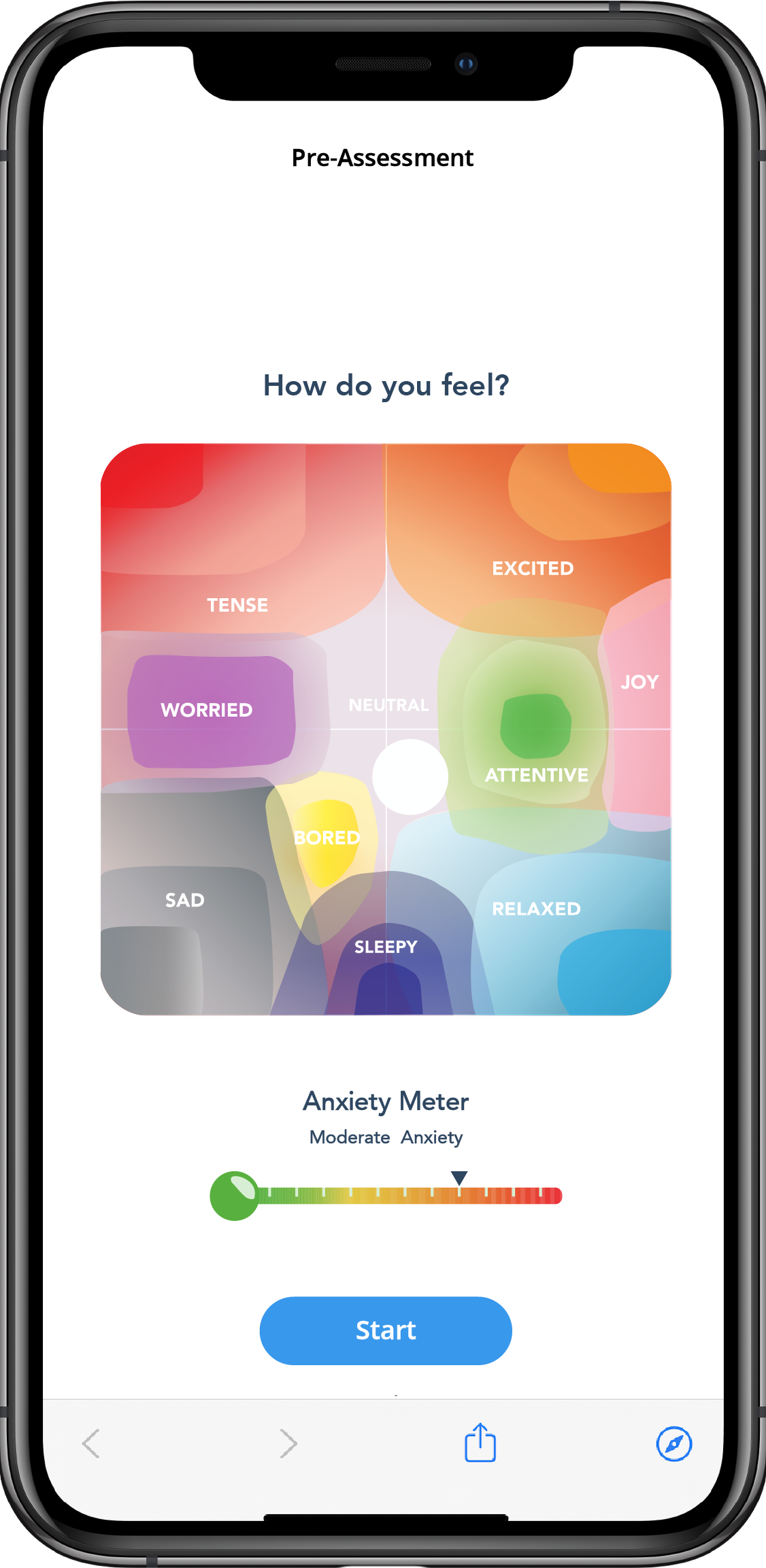
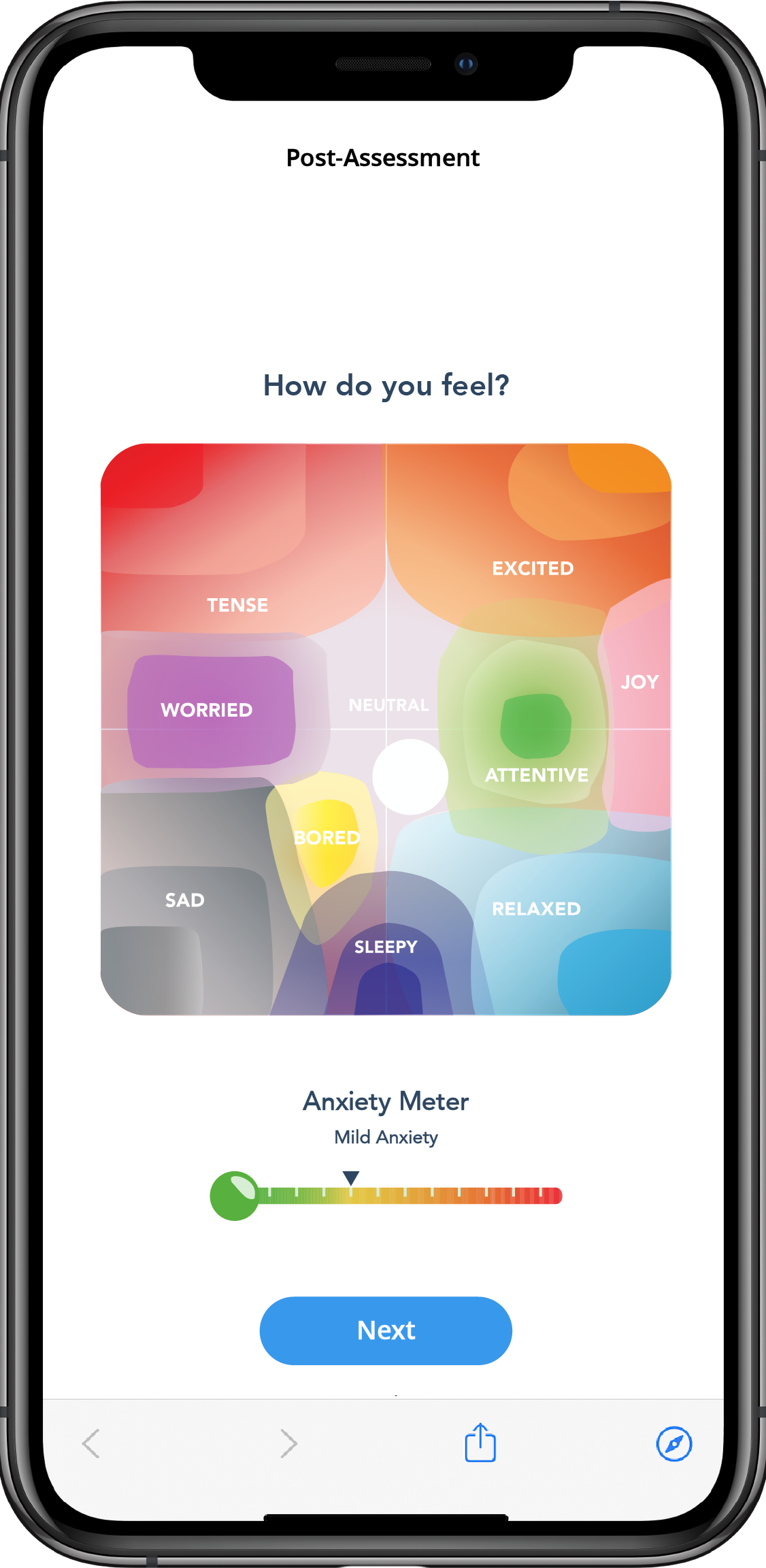
demo, this experience allows you to input a starting emotional state and personalize the intervention based on the changing state of your users. The user’s emotional state is represented using an ‘arousal’ and ‘valence’ value that can be measured using LUCID’s self-assessment module. UI assets for this module (the ‘grid-picker’) are provided below.
Request 1
User Interface: User selects the intention (or 'mode') of their music therapy experience
POST experiences
URL:
public.core.thelucidproject.ca/api/experiences
Request Body:
body: {
 "modeId":"calm",
 "libraryId":"immersive",
 "desiredLength":6, // "this length is recommended"
 "participantId": "annonymous_user_id"
}
Example Response:
Copy{
"_id": "STRING",
"participantId": "annonymous_user_id",
"organization": "STRING",
"configuration": "STRING",
"initialMeasurementSessionID": "STRING",
"runtimeMeasurementSessionID": "STRING", // optional
"finalMeasurementSessionID": "STRING", // optional
"timestamp": 1642781363730,
"__v": 0
}
Request 2
User Interface: User selects their current state using the self-assessment grid UI
Self-Assessment Grid - Download the ‘grid-picker’ UI instrument to calculate Cog Values to generate personalized experiences
Download AssetsPOST measurements
URL:
public.core.thelucidproject.ca/api/measurementSessions/"initialMeasurementSessionID"/measurements
Request Body:
Copy{
"timestamp": "{{$isoTimestamp}}",
"instrumentType": "cli_cog_input",
"dataType": "cog",
"data": {"valence":"FLOAT","arousal":"FLOAT"}, // "valence" is a continuous value between 0-1 on the x-axis of the grid, "arousal" is a continuous value between 0-1 on the y-axis
}
Request 3
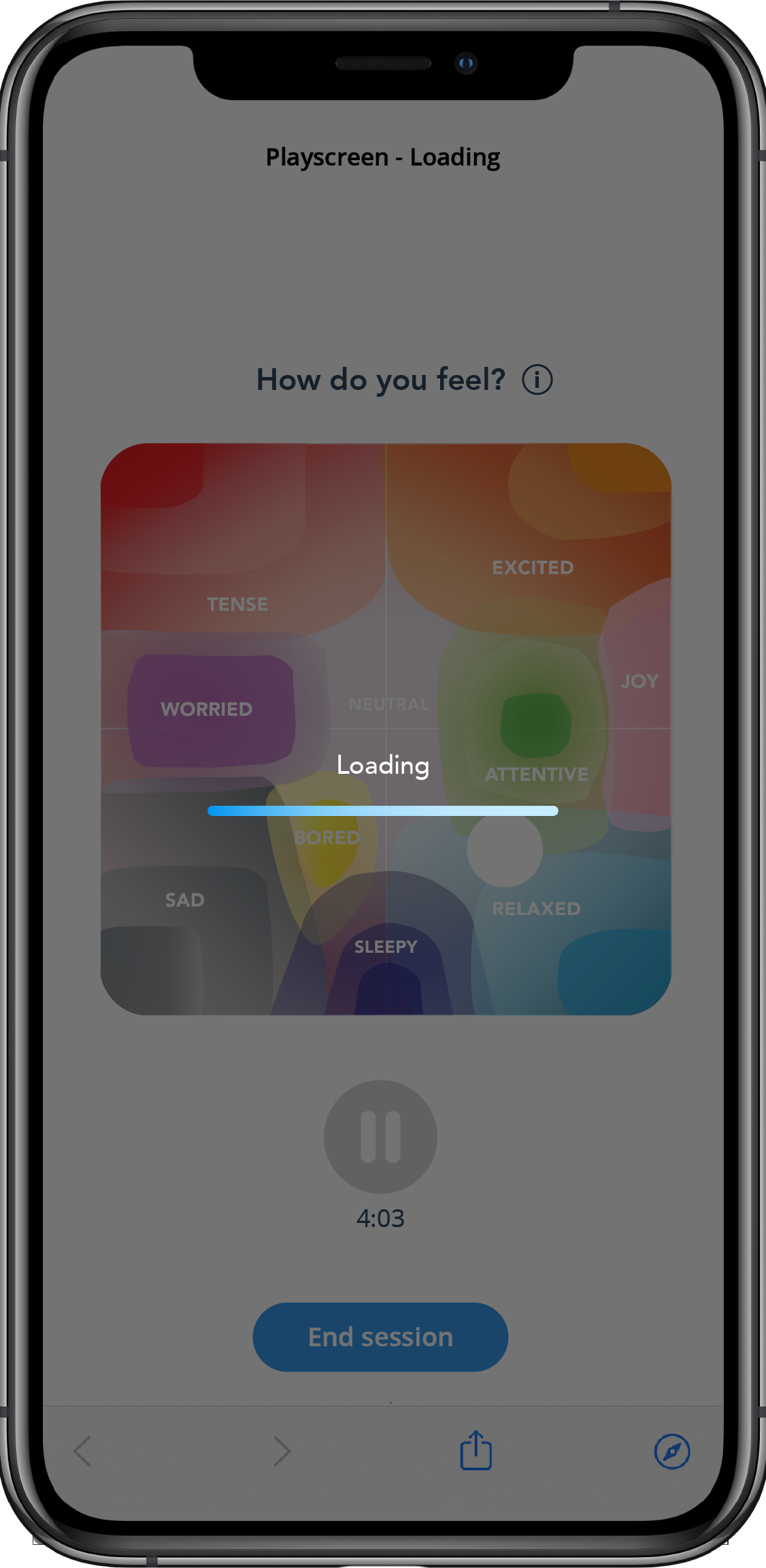
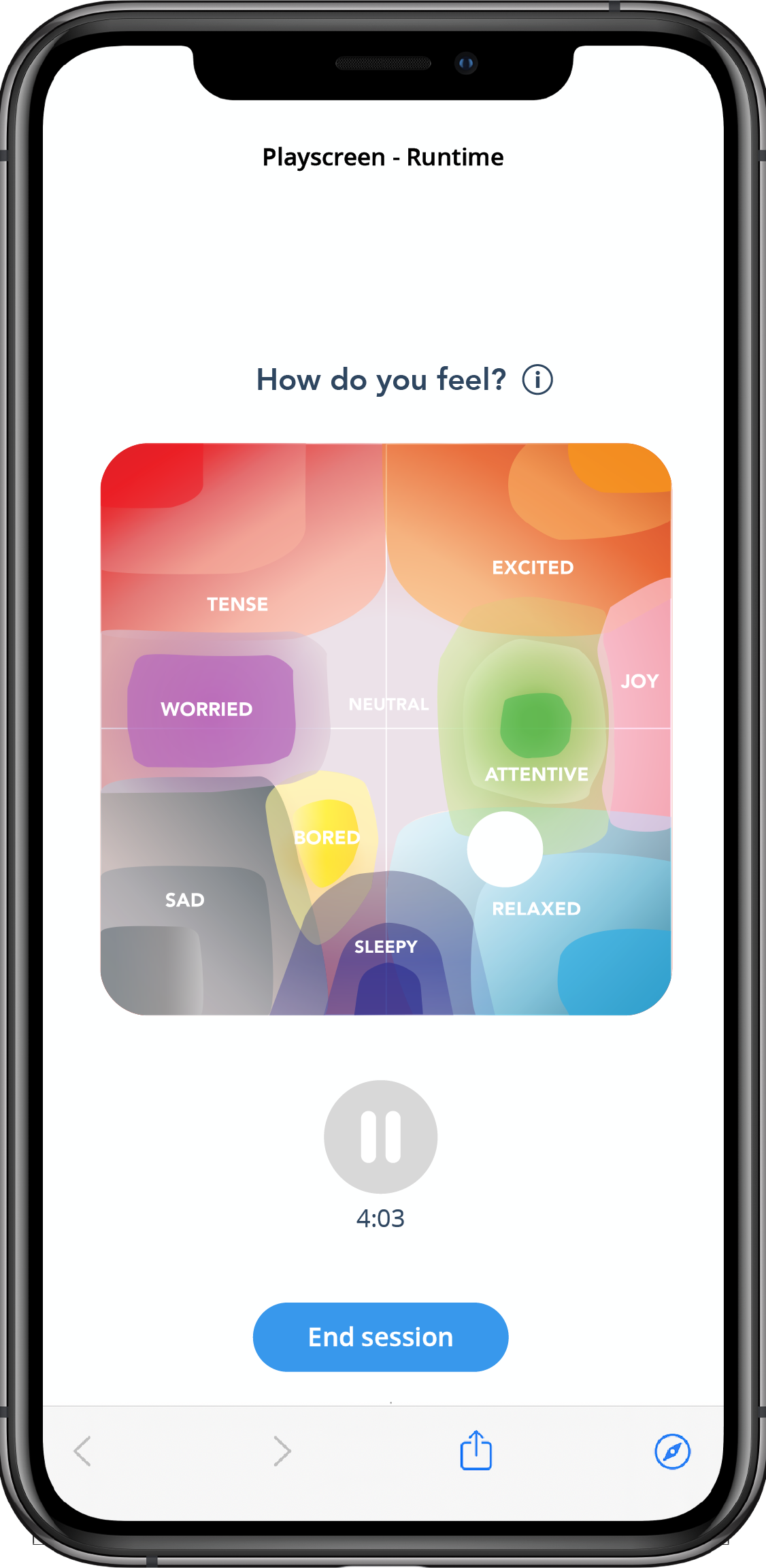
User Interface: Playscreen with progress indicator (waiting for audio stream to load). Once audio stream has loaded, show audio player to allow pausing/playing and an 'end' function to return to the menu of your app
GET audio
URL:
public.core.thelucidproject.ca/api/experiences/"_id"/audio //_id from initial experience request
Response:
Copy{
"HLS live stream URL" // load directly into your audio player
}
Request 4 (optional)
User Interface: User updates their current state using LUCID's self-assessment grid UI
POST measurements
URL:
public.core.thelucidproject.ca/api/measurementSessions/"runtimeMeasurementSessionID"/measurements
Request Body:
Copy{
"timestamp": "{{$isoTimestamp}}",
"instrumentType": "cli_cog_input",
"dataType": "cog",
"data": {"valence":"FLOAT","arousal":"FLOAT"}, // "valence" is a continuous value between 0-1 on the x-axis of the grid, "arousal" is a continuous value between 0-1 on the y-axis
}
Request 5 (optional)
User Interface: After user presses 'end', audio stops and they submit a final current state using LUCID's self-assessment grid UI
POST measurements
URL:
public.core.thelucidproject.ca/api/measurementSessions/"finalMeasurementSessionID"/measurements
Request Body:
Copy{
"timestamp": "{{$isoTimestamp}}",
"instrumentType": "cli_cog_input",
"dataType": "cog",
"data": {"valence":"FLOAT","arousal":"FLOAT"}, // "valence" is a continuous value between 0-1 on the x-axis of the grid, "arousal" is a continuous value between 0-1 on the y-axis
}
Request 6 (optional)
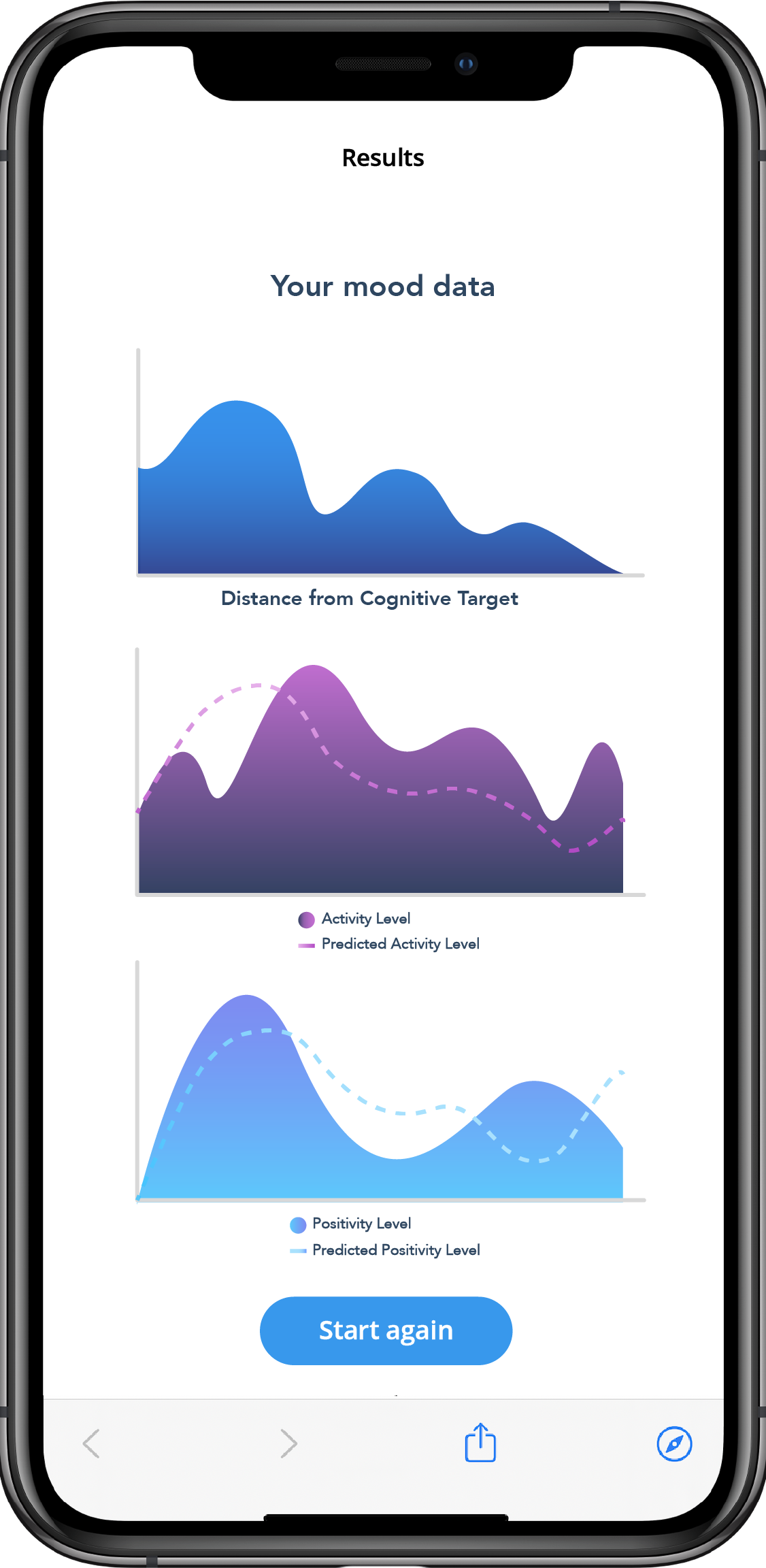
User Interface: After final measurement session, display results packet to your user
GET results
URL:
public.core.thelucidproject.ca/api/experiences/"_id"/results //_id from initial experience request
Response:
[
    {
        "experienceTime": 0,
        "cog": {
            "arousal": "0.24",
            "valence": "0.04"
        }
    },
    {
        "experienceTime": 124204,
        "cog": {
            "arousal": "0.22",
            "valence": "0.38"
        }
    },
    {
        "experienceTime": 132234,
        "cog": {
            "arousal": "0.22",
            "valence": "0.38"
        }
    }
]